On This Pale Blue Dot
I also spent a long time deciding in what order, and on which screen, to set a picture and a few lines of text. This note is the story of those screens.
I opened the first screen onto space
Before asking for anyone's birthday, there was a scene I wanted to show first. So that no one would wonder, out of the blue, "No sign-up, they say, so why do they want my birthday?", the idea was to imagine, first of all, what a birthday might mean in this universe. My first planning memo put it like this.
"A point where the Earth circles the galaxy along with the Sun; a season when it was going round the Sun; a day when the Moon was going round the Earth; a single moment when the Earth was spinning, the Sun out before it."
Year, month, day and hour, I thought, might be called a set of coordinates in space. So entering the year brings the solar system closer, and entering the month, the day and the hour stops, in turn, the Earth's orbit, the Moon, and the Earth's spin. It did not need to be a precise three-dimensional picture. Orbits sketched in chalk on dark-blue kraft paper were enough, the way you might cut pictures out with scissors and show children: "See, they go round like this. The rest I'll leave to your imagination."
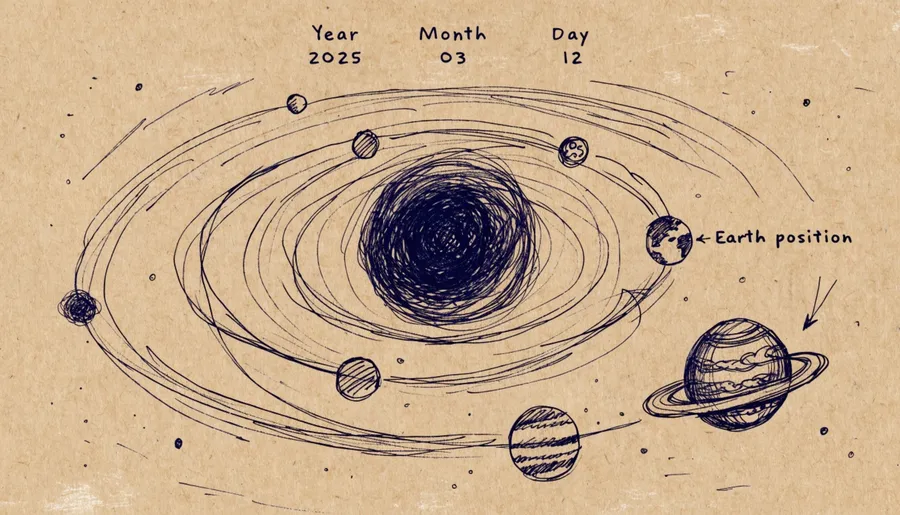
Over it run these lines.
"A universe so vast that even light cannot find its edge — / and here, on this pale blue dot, something is unfolding — / quiet, but not small. / perhaps, this is a story about you."
At first I made these heavenly bodies as image files. I liked the Earth and Moon that looked drawn in chalk on a blackboard, but once they were animated they took up several times more space than the code itself. From the start I had pictured an HTML file under 1MB that would open without strain on even a low-powered device, not slick, but like a diagram drawn on a blackboard, so this gave me a hard time. In the end, the Sun, Earth and Moon on today's first screen are not image files but lines drawn in code. The whole first screen comes to about 560KB.
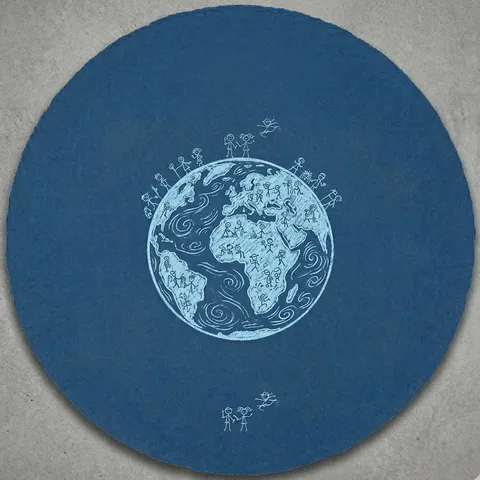
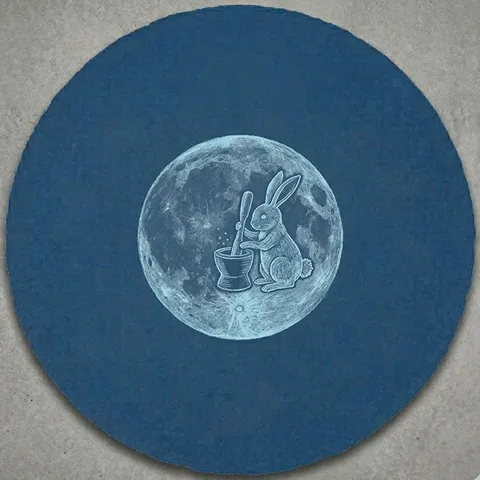
Through the atmosphere, down to the ground
After the fork come four modes: Landscape, Folk Art, Woodblock and Blueprint. At first they looked like a menu of four styles set side by side, but reading them again, they were not four styles but one journey.
Landscape is me seen from space, the imagery of a natural scene. Folk Art is me seen looking up from the ground, the scene in which the guardian of my zodiac animal recognises me. Woodblock is where you ask what you are carrying, and Blueprint is where that answer settles onto coordinates in the real world. Observation, recognition, choice, projection.
So each mode has its own background colour. Landscape starts from the same deep blue as the first screen, grows a little paler through Folk Art and Woodblock, and by Blueprint has passed through pale sky blue to a milky white. It is the path of an eye that catches on a small blue dot in space and comes down through the atmosphere to the ground.
Along the way I turned two things around. The useful element in the Woodblock mode had to be not a prescription, "use this," but a question, "what are you?" So the print itself is set by the useful element, but the seal stamped on it is chosen by you from among the ten heavenly stems. At first I meant to recommend a few, but I decided that what one carries is, in the end, more a matter of one's own will. Just as in the other modes you can write a line of your own and place it on the picture, in Woodblock you stamp the stem you chose in a corner of the screen, like an artist's seal. Only then does the stamp become an answer about yourself rather than the seal on a prescription. In the Blueprint mode I reversed the order, which had gone from sketch to blueprint, to blueprint first and sketch after. The blueprint was imagined as a design onto which the will you chose in coming here, your reason for coming into the world, is projected; the hope was that you might then close this window and try sketching the beautiful world.
So between Woodblock and Blueprint I planned one more rise and fall: at the moment you stamp the seal and recognise yourself, what you were carrying rises into the sky as constellations, and then those points of starlight come back down to become the lines of the design. The screen still carries the line "One by one, what you were carrying scatters into stars." But my limited skill with animation means the scene flashes by in an instant, and it has become just one more of the usual slide transitions.
A few things kept on every screen
Before settling on any voice, I wrote down two lines as the keynote.
A story about one event on this pale blue dot — in a calm documentary narration, across the whole service.
A torch drawn into the picture I carry, a well carved into it — like a film that makes your nose sting while you laugh.
Each mode's own voice is a great charm, but I worried that, once absorbed in it, people might wonder, "Wait, whose story is this?" So rather than setting Carl Sagan's tone apart as a mode of its own, I let a calm documentary narration run underneath every screen.
When the buttons multiplied over many versions and I worried the screen would look cluttered to a newcomer, I added one more rule: only one filled button per screen, so that the way forward looks like a single path.
The last screen points off the screen
On the last screen, where you keep your picture, I put one line I had polished for a long time. It began in an elder's voice, written while I was trying human clothes on the twelve zodiac animals: "Keep it as a souvenir photo, won't ya~" It has since grown a little more polite, "Keep this, like a souvenir photo," and hovering over the keep button brings up the words "A souvenir of your visit to Earth."
"Change the hours you keep, the place you stand, and what you eat and who you meet will follow. Call that a shift in life's orbit, if you like." These lines were meant to close the journey, left like a scribble in one corner of this pale blue dot.
"We who sometimes soothe an aching resentment and regret with plausible excuses, and sometimes, at a few plausible words, suddenly find hope and courage."
Why and how this service was made is set out in About daycolor and How it works; the words that appear on screen are in the Glossary.
Open daycolor →