Take your chart anywhere
This service has one button that is neither a picture nor a poem: the button that copies your chart to take with you. This note is the story of how that button came to be.
The first plan
It began with wanting everyone to get a careful, personal consultation, without the gaps that come from how well each person happens to use AI. In principle every sentence was to be written by AI on the spot. Enter a date of birth, and the chart and its major cycles would be packaged and sent to an AI, and readings in four voices would come back in one go and appear on screen. I had higher hopes for it than anyone, quietly and sincerely.
That took more than I expected. A small separate server had to stand in the middle as a gatekeeper so that no user information or security key would be exposed, and I built a store to keep the readings it received, so the same chart would never be asked about twice. When the same person opened it again, the stored reading would come out at once; only a new chart would go to the AI.
In testing, it worked. But for a new chart the reading took more than thirty seconds to arrive, and when that overlapped with loading a fairly large image it became a real problem.
On top of that, as I wrote earlier, the tone and length of the sentences swung wildly from one visit to the next. In the end I settled on writing in advance the reading of the birth chart, which never changes for a lifetime, and giving the major cycle and the year, which change, as a brief note like a weather report.
Something to take with you
"Enter a date of birth, then make the chart, major cycles and yearly cycle easy to copy into whatever AI you like! Offer a range of prompts asking for readings by school of theory or in other styles of commentary!!"
It was a turn: instead of trying to serve unrefined results at random inside the service, hand users prompt keywords that would actually be useful. Which AI to ask, and what to ask, is up to each person. In the work orders this feature was called the "take-away service."
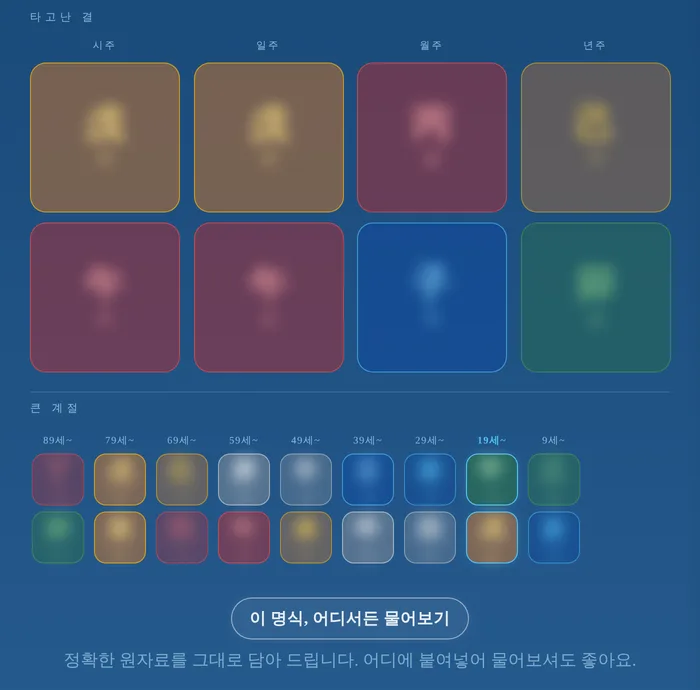
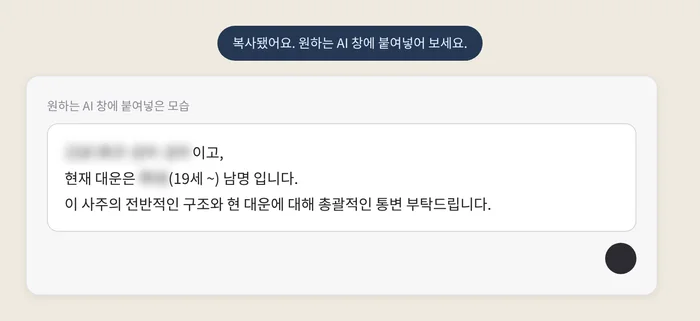
Today every mode has a button, "Take your chart anywhere." Press it and the makeup of your chart, your current major cycle and your sex are copied as one bundle, followed by what to ask. On the intro screen the information comes with "Please give an overall reading of this chart's structure and the current cycle." For the modes I put in variations to show how the request can be adapted: like a documentary narration, as a first-person monologue of "I," or by asking about the chart's career and health. In Landscape it asks for a calm, warm reading in the manner of a Carl Sagan documentary narration; in Folk Art, for the chart told as my own first-person monologue. In Woodblock it asks for a scholarly analysis through structure, useful element, climate and balance; in Blueprint, for the chart read as modern imagery, with a practical report on where my strengths would shine at work and what to watch out for. Where each year's poem unfolds there is a separate button for asking about that year alone, and in Folk Art, once you enter the chart of someone beside you, a button appears for asking about the two of you. Beneath the button I wrote, "Your exact chart, ready to paste — ask wherever you like." Only the calculated chart is copied; the birth date numbers you typed in are not.
Now, and now
What this service hands you is, perhaps, a short cheer with a long preamble: to look away from the screen if you can, and try to find what the place you stand in now might mean.
"To picture the past, now. To picture the future, now."
Why and how this service was made is set out in About daycolor and How it works; the words that appear on screen are in the Glossary.
Open daycolor →